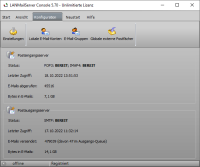
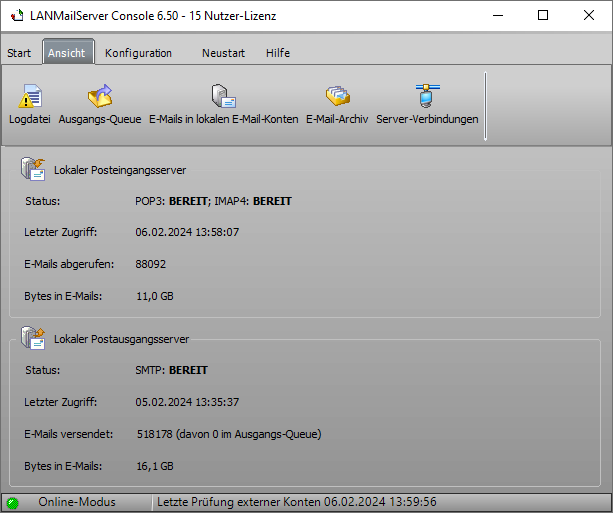
LANMailServer is a local mail server,
that enables sending and receiving emails within your own network with a standard
email program, e.g., Microsoft Outlook, Windows
Mail, Mozilla Thunderbird. To send emails to internet, only the computer where
LANMailServer is installed must have internet access.
Within the network, emails (text emails,
HTML emails, and emails with attachments) can be sent locally to other
configured email users in own network. Local
email users can also send emails to internet
or receive emails from external POP3 and IMAP mailboxes.
LANMailServer can be used with LAN connections and dial-up connections
(Dial-Up Networking).
Main Features of Email Server for Windows
- Setup of local email accounts so that local users can
communicate with each other using a POP3-capable or IMAP4-capable email program, e.g.,
Outlook, Thunderbird, etc.
- Optionally, LANMailServer can be used as a pure
SMTP Relay Server
without email accounts.
- Setup of email groups so that emails can be sent to a
group. LANMailServer email server distributes emails to individual local users (email distribution).
- Emails from external email accounts can be retrieved
and assigned to local users. External
email accounts that comply with the POP3/IMAP4 standard (including
SSL encryption, SSLv3-TLS v1.2/v1.3) are supported.
- Autoresponder function for local email accounts. If a
user is on vacation, an Autoresponder can be activated
and/or emails can be forwarded to another local user
or an external email address.
- Adding a DomainKey signature and/or digital S/MIME signature to emails being sent.
- LANMailServer mail server can also be used as an alternative to AVM KEN!
or
IIS SMTP Relay.
Of course, the full functionality of the KEN! server is not replicated, but only the functionality of
the email server.
- LANMailServer runs as a Windows service in the background,
no user needs to be logged in on Windows machine.
- More Features...
WebMail
Any web-based system that supports IMAP and SMTP can be used
with LANMailServer, e.g.,
RoundCube or
SquirrelMail.
|
What's New in LANMailServer?
|
-
Fixes a bug in autoresponder where the email was sent to the account itself instead of the sender of the incoming email.
-
Significantly accelerates copying/moving messages in IMAP mailboxes if the email client supports COPY and MOVE (e.g., Thunderbird supports this, Outlook does not). All emails are now copied/moved completely, rather than individually as with the IMAP APPEND command. IMAP IDLE now also functions correctly with IMAP COPY/MOVE, ensuring that other connected email clients are notified of the operation.
-
Now more accurately checks lengths and return strings when using a MySQL database to store emails, as these are not always correct depending on the MySQL/MariaDB version.
-
Further accelerates the use of numerous POP3 UIDs if thousands of emails are to remain in external POP3 mailboxes. Only IMAP should be used now.
-
Speeds up the launch of LANMailServer Console when a very large number of emails are stored in the LANMailServer data folder. File permissions are no longer adjusted. If access issues occur, you must set the correct permissions on the files yourself.
-
If a password was set in LANMailServer Console to protect the LANMailServer Console and its configuration, access can now be granted via fingerprint without a password. Naturally, a fingerprint scanner must be connected to the computer and the fingerprint must be registered with Windows Hello.
-
Fixes an issue in the IMAP FETCH command where the server may return incorrect message data or mismatched flag states. The problem occurs due to index misalignment when the mailbox contains a varying number of messages and when individual messages have been expunged, causing the FETCH operation to reference stale or shifted UID/message‑sequence mappings.
-
Only for the 64‑bit version, a new variant of the libmysql.dll file compatible with MySQL 8 and later has been implemented. The 32‑bit version no longer provides any variant of this library.
-
When using MySQL to store email data, several SQL statements have been optimized so that, even with a large number of emails, they achieve access speeds comparable to SQLite.
-
For advanced users only: Access to MySQL servers via TLS/SSL is now supported.
-
Fixes errors that occurred when archiving emails containing special or non‑standard characters in the email header or body.
-
In LANMailServer Console, when displaying emails in local mailboxes or in the outgoing queue, the sender’s favicon icons are now shown. This feature can be disabled if the local network does not have Internet access..
-
If SMTP access from a server to the Internet is impossible or blocked by a firewall, email sending can now be configured via HTTP using Microsoft Cloud/Microsoft Graph/SMTP2Graph (maximum email size: 4 MB) or Amazon SES (maximum email size: 10 MB) for each individual local email account. Configuration must be done separately for each local email account, as Microsoft and Amazon SES only allow the authenticated email address as the sender.
The faster SMTP-based sending should always be preferred. Bulk email sending—e.g., using
SuperMailer—via HTTP is not recommended.
-
Fixes errors in data storage via MySQL. During simultaneous database access, memory was not released, causing the service’s memory usage to accumulate over days or weeks.
-
Fixes character encoding errors in UTF-8 encoded emails received via IMAP4 by the email client. The issue only occurred with emails that were not properly encoded in base64 or quoted-printable.
-
For external mailboxes with size limits for retrievable emails, an info email is sent to the local mailbox so that the oversized email can be retrieved manually later via WebMail or another email client.
-
The guide for installation and configuration of ClamAV/ClamWin with LANMailServer has been updated. The original version from clamav.net is now used, as the old version no longer received signature updates
|

 German
 Newsletter Software SuperMailer
 PHP Newsletter Software SuperWebMailer
 FollowUpMailer
 BirthdayMailer
 MONewsletter
 MailboxFetcher
 SuperInvoice, E-Rechnungen
 SerialLetterAndFax
 PHP Newsletter Empfänger Verwaltung SuperMailingList
 SuperSpamKiller Pro
 RSSWriter
 HTTP2Mail
 SMSout
 NetStat4Win
 PersonalFax